From the Left navigation bar select a page and click on the below icon marked in the picture to open Page History

A page History will appear as below:
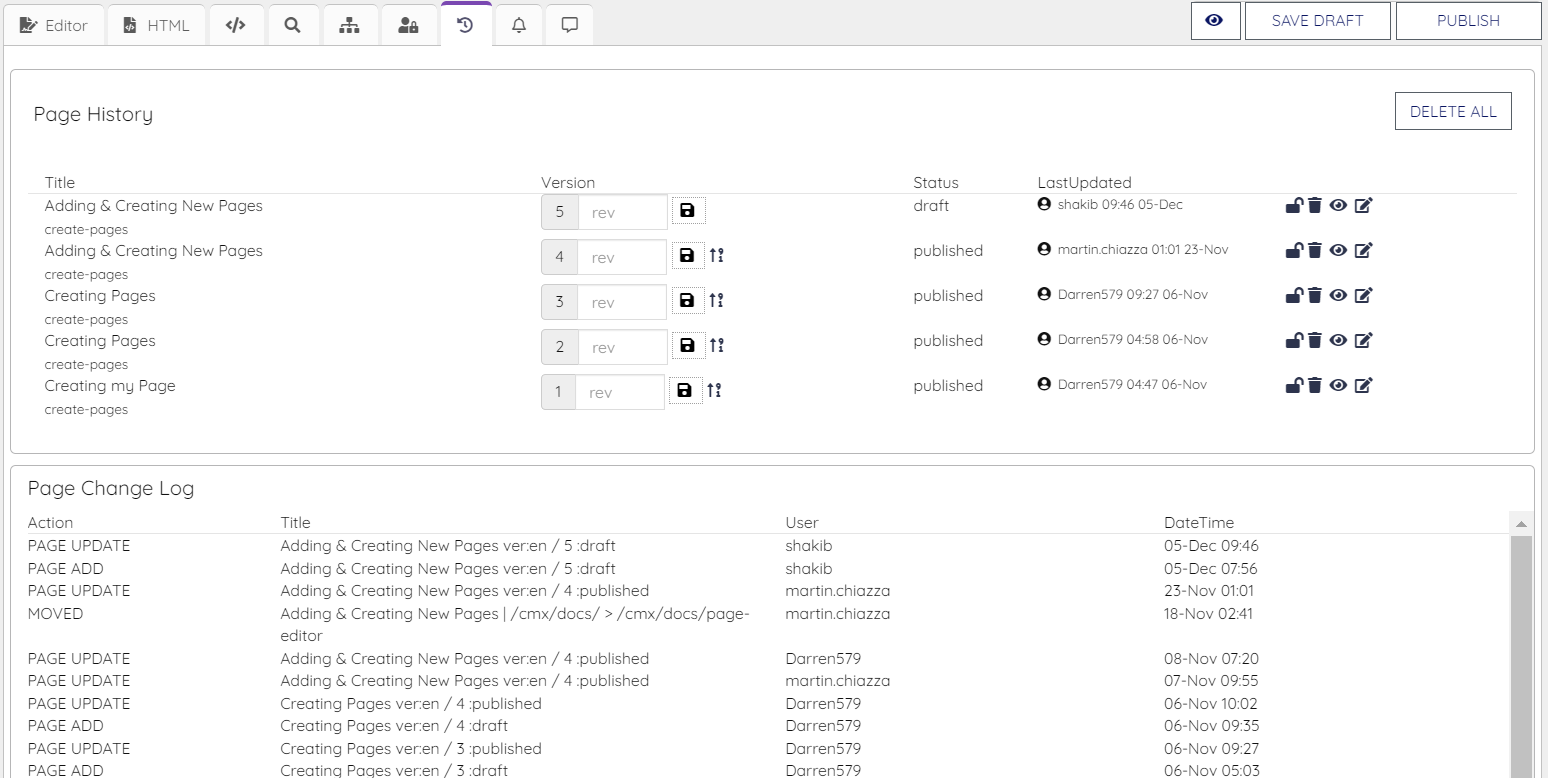
A version history with details will appear as shown in the picture below:
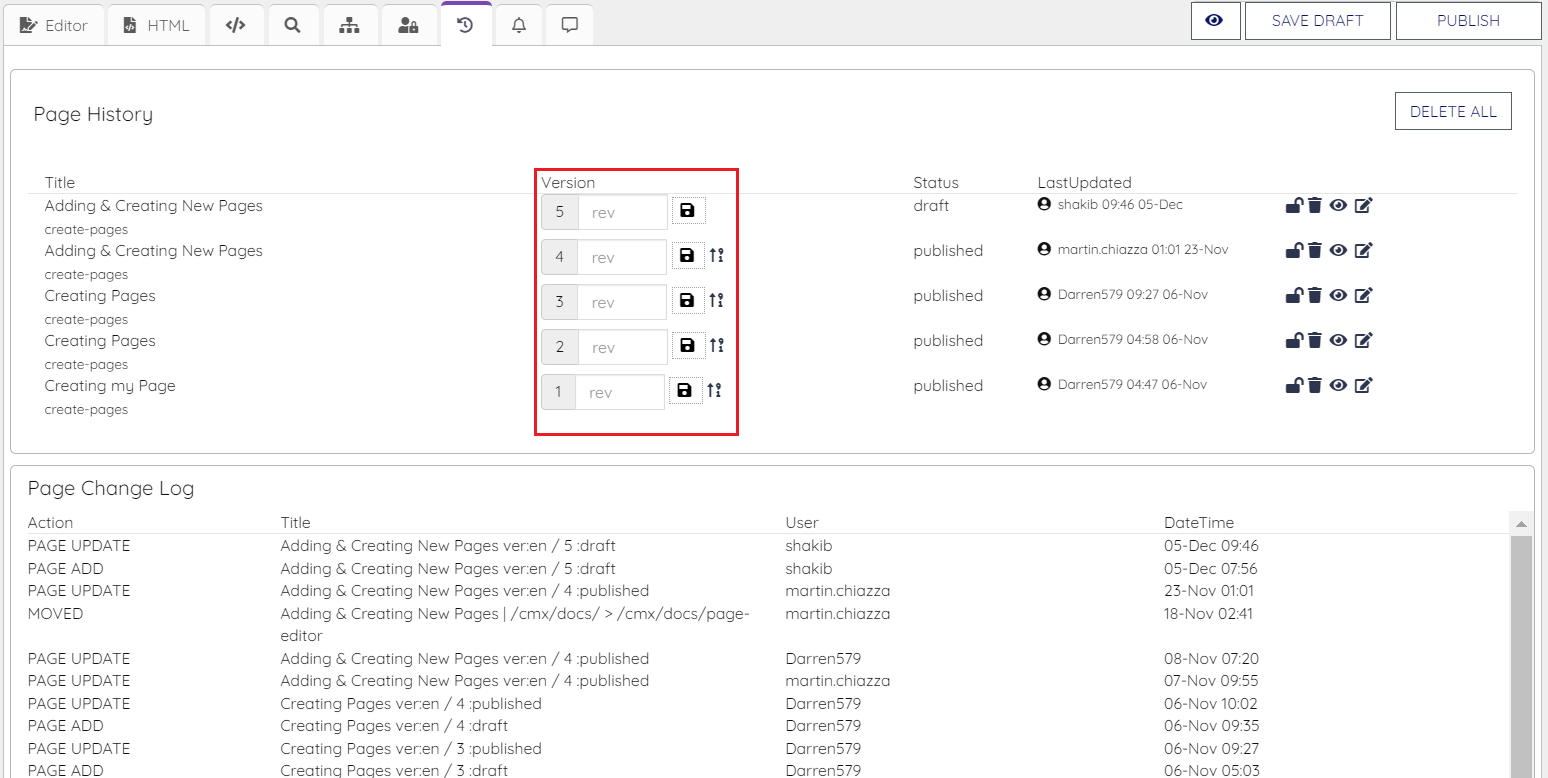
User have different action buttons in this page to perform different operations discussed below:
Save: To save a specific version history. The Save button clicked beside the version history will only be saved.
Lock/Unlock: When the Sign is selected as Locked user will not be able to publish the page. But when the sign is Unlock user will be able to Publish the page.
Remove Page: User will be able to delete any page history by clicking on the delete icon.
Preview: User will be able to preview the page by clicking on Preview icon.
Edit: User will be able to edit the specific version by clicking on edit button
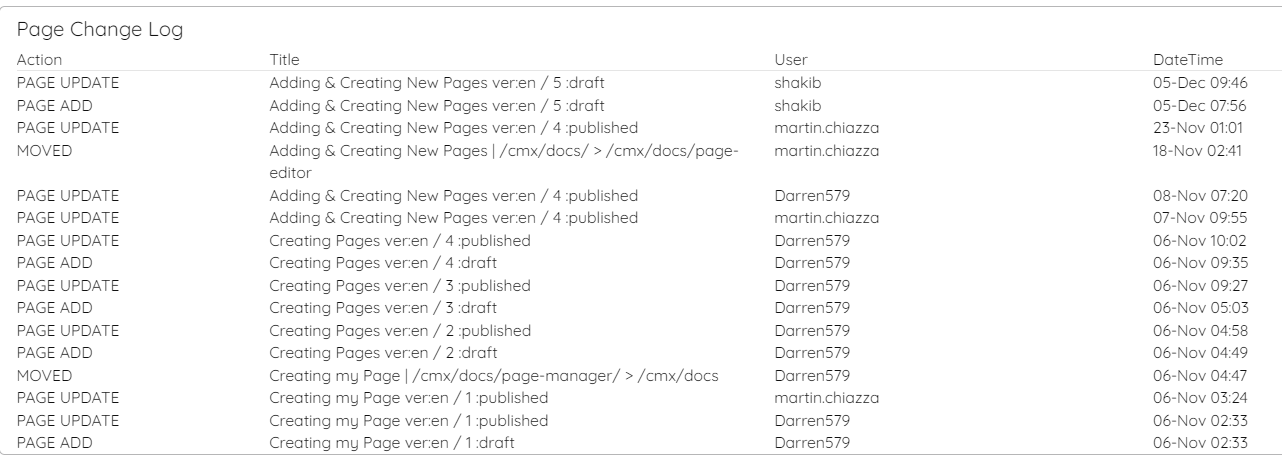
There is also a "
Page Change Log" at the bottom of the page, so that user can view the change history from it.