Delete Pages
Deleting pages within webcore cmx is an easy process. Before you do decide to delete a page, make sure you are sure it needs to be deleted as the page will no longer be available.
Select the New Page Folder from Left Navigation
From the
Left Navigation Bar
, you need to select the page you want to delete, and select the
Page History
tab as demonstrated in the image.
Navigating around Page History
From the Page History information, you need to select the file version that contains the file you want to Delete, and click on the icon
Delete.
You need to be aware that you are only deleting that version of the page. You are not deleting the whole page.
Click on the Delete icon
Delete
icon and the following pop-up window will appear.
The confirmation pop-up page will appear. Here you need to confirm you want this page version deleted.
You have the option to delete all pages, and not only one version. By clicking on the
Delete All
button, all versions of this page will be delete including the page itself.
Restore Page:
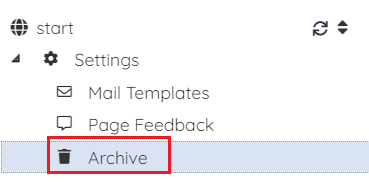
Go to
Left navigation bar and select
Archive Option as below:
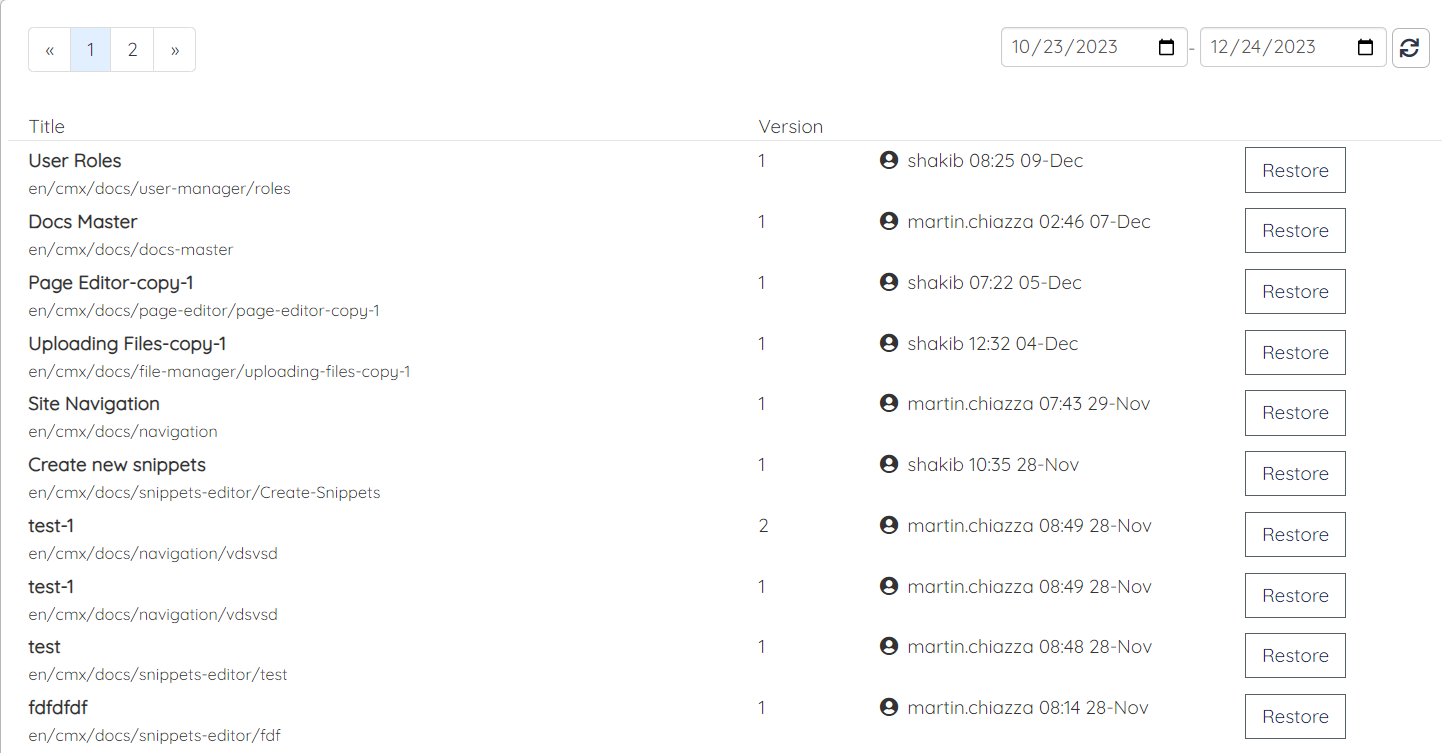
A archive page will appear as below:
The page you want to Restore click on the button of "
Restore" beside the page history:
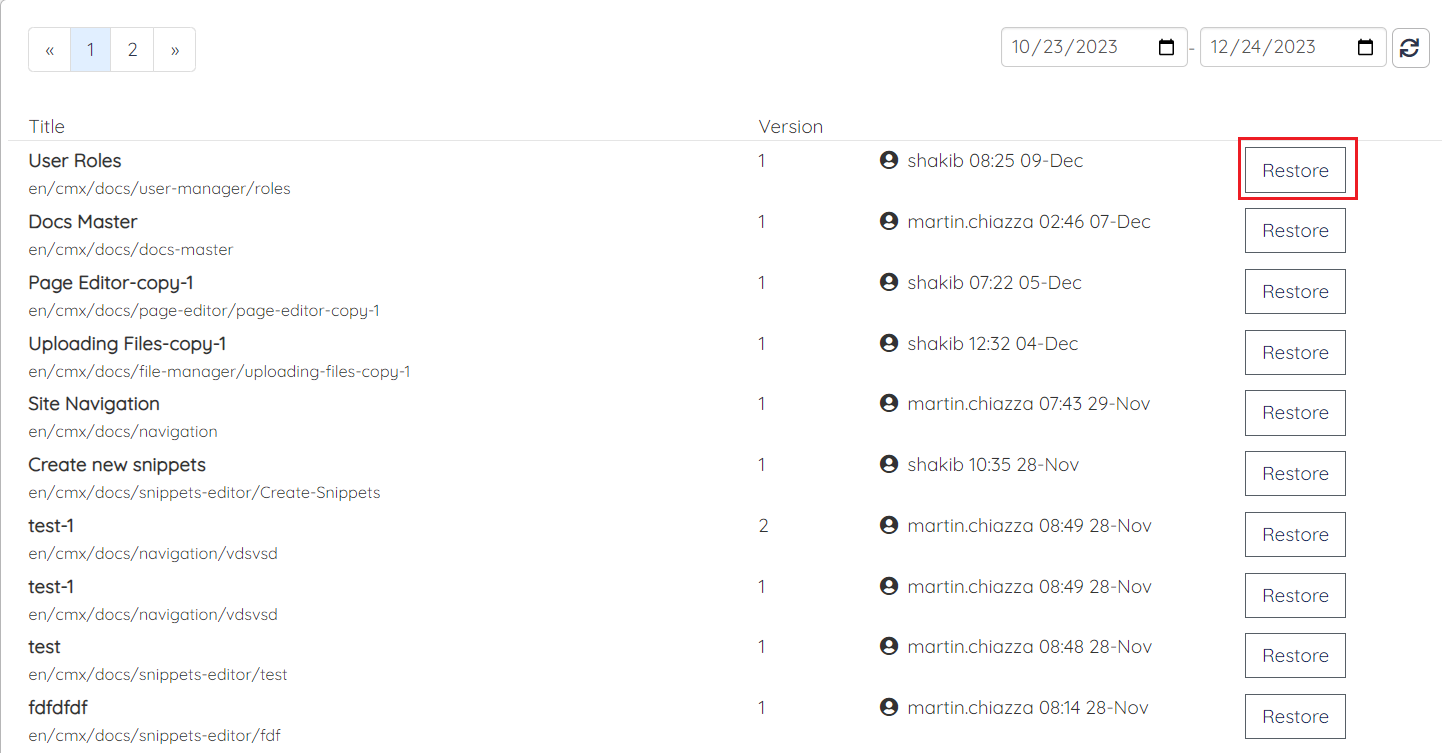
After clicking on restore button page will be successfully Restored.
